
Industrial monitor · 9.7″ 1024 × 768 · capacitive touch · IP65 front · no CPU
FPM-1002S 9.7-inch Industrial Touch Monitor for Machine-Front Mounting
9.7″ 1024 × 768 · IP65 front · 1.4 kg
A display, not a computer. The FPM-1002S is a 9.7-inch 1024 × 768 monitor at 300 nits with capacitive touch over USB and VGA + HDMI inputs — it shows whatever your existing IPC or PLC puts out, with no CPU, memory or storage to maintain. The front is sealed to IP65 in an aluminium frame, and it mounts in a 241.7 × 186.2 mm cutout or on a VESA bracket.
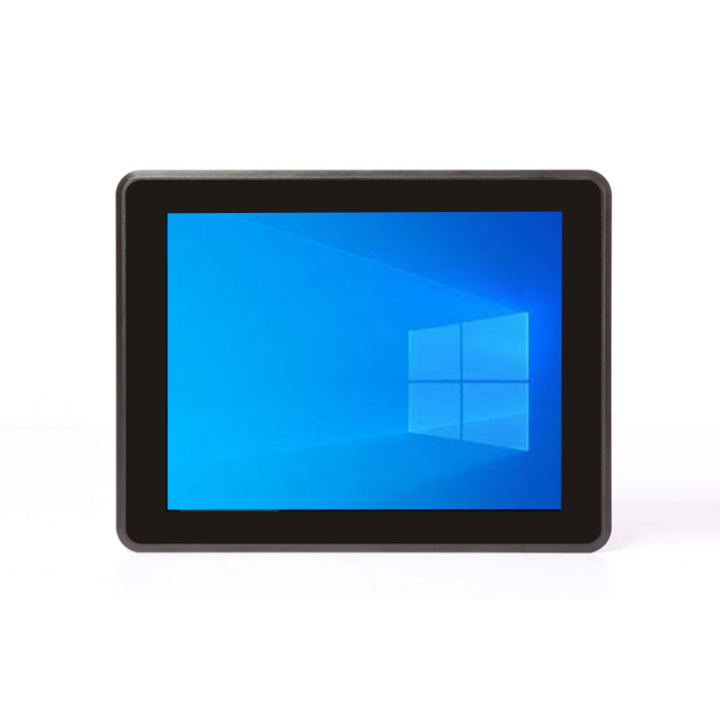
9.7″ 1024 × 768300 nitsVGA + HDMICapacitive touch · USBIP65 frontNo CPU
17+
Years
50+
Countries
1
MOQ unit
2–4
Weeks lead
OEM
ODM & branding
At a glance
FPM-1002S key specifications
The panel, the touchscreen, the compute, the ports and the mechanical fit — everything that decides whether this panel drops into your cutout.
Panel size
9.7″ 4:3
Resolution
1024 × 768
Brightness
300 nits
Touch
Capacitive, USB
Video input
VGA + HDMI
Backlight
30,000 h typical
Viewing angle
160° / 160°
Response
5 ms
Power
12V 2A (9~36V opt.)
Protection
IP65 front
Mounting
Panel / VESA 75 & 100
Weight
1.4 kg
Design notes
Why a monitor instead of a panel PC
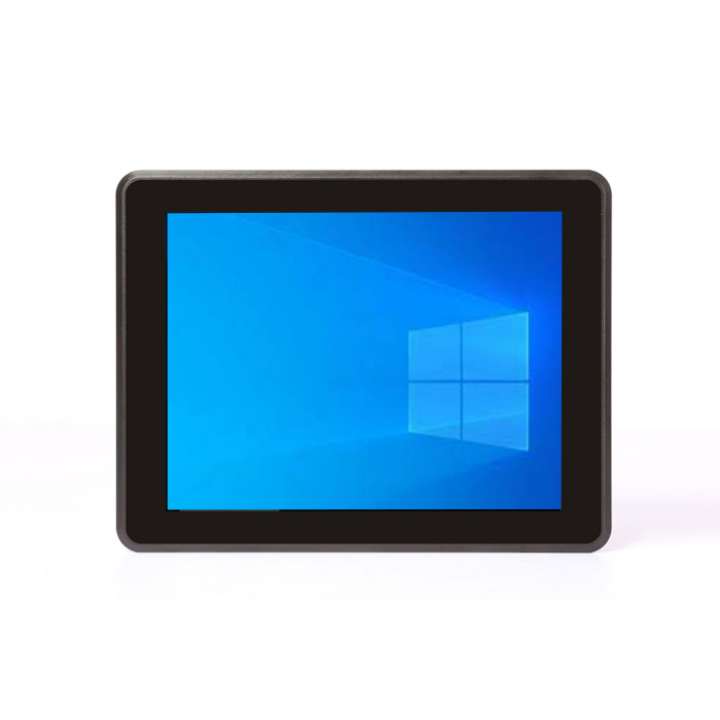
A screen with no computer in it — the logic stays where it already is
On a lot of machines the computing is already solved: there is a PLC, an IPC in the cabinet, or a vision controller with a spare video output. What is missing is a display that survives the front of the machine. The FPM-1002S is that display: 9.7-inch 1024 × 768 at 300 nits, VGA + HDMI inputs and capacitive touch over USB — no CPU, no memory, no storage, so nothing to image, patch or back up, and nothing to fail after a few years of duty.
- No CPU, memory or storage — nothing to patch, image or back up
- VGA + HDMI inputs, so it takes a spare output from the IPC or PLC
- Capacitive touch over USB — plug into the host, no driver pack
- 9.7″ 1024 × 768 at 300 nits for machine-front mounting
- The HMI stays on the existing controller and its existing licence
An aluminium housing with an IP65 front, made for the plant floor
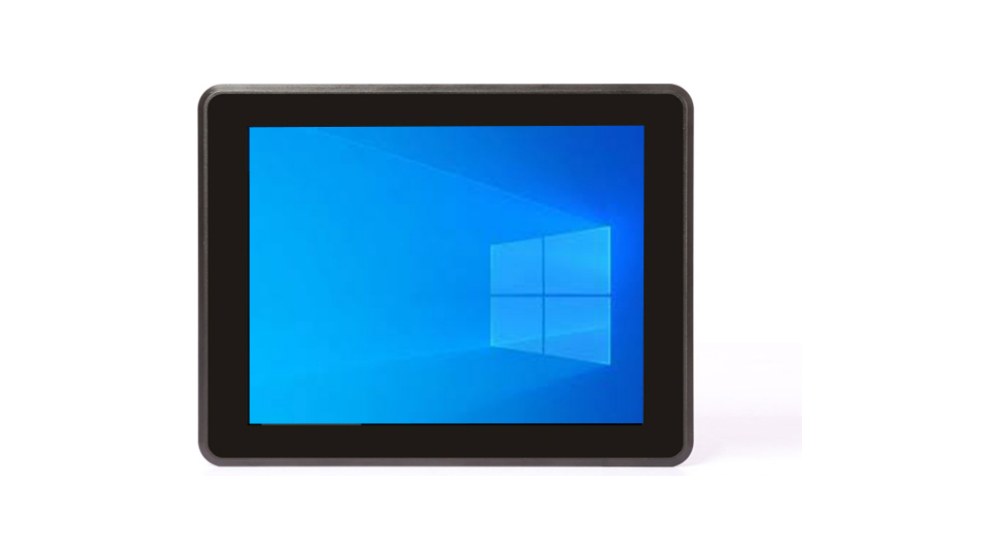
The housing is a high-strength aluminium frame in a moulded body, finished black, with a flat panel front sealed to IP65 — oil mist on a machining centre, coolant splash next to a grinder, and the routine wipe-down at the end of a shift are what it is specified for. The front is also shielded against electromagnetic interference, which matters when the monitor shares a cabinet with drives and contactors. Operating temperature is -10~50℃.
- IP65 front with an oil- and EMI-resistant face
- Aluminium frame, black moulded housing, flat front bezel
- -10~50℃ operating, -20~70℃ storage
- Designed for 24/7 industrial use, not office duty cycles
- Wipes down with the machine at shift end
Panel mount or VESA, with one cable in the box
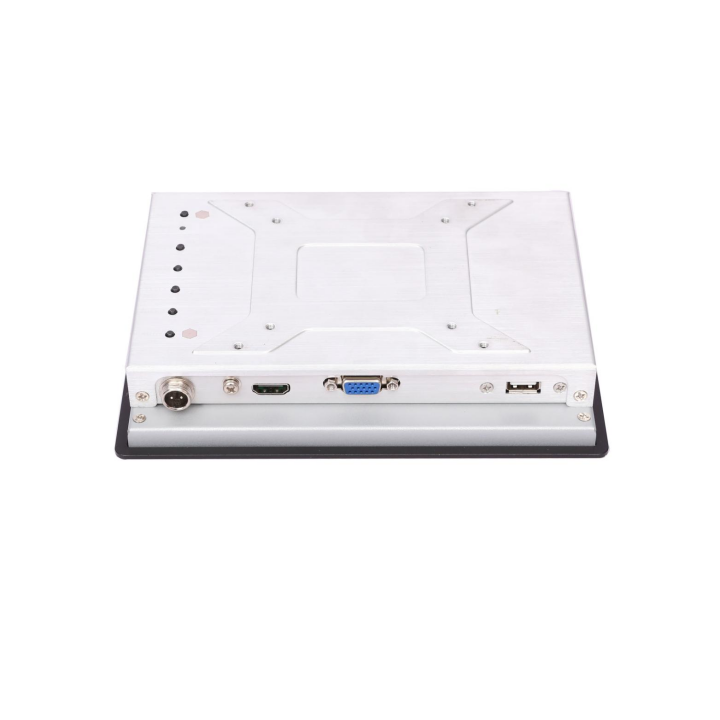
The monitor mounts into a 241.7 × 186.2 mm cutout like a panel PC, or on a VESA 75 × 75 / 100 × 100 bracket on an arm. Power is 12V 2A through a 2-pin aviation connector that locks, with a 9~36V DC version available for vehicles and 24V cabinets. It ships with the power adapter and either an HDMI or a VGA cable — you pick which at order, so the box matches the host.
- 241.7 × 186.2 mm cutout, or VESA 75 × 75 / 100 × 100
- 12V 2A via a locking 2-pin aviation connector (9~36V DC optional)
- HDMI or VGA cable in the box, chosen at order
- USB touch cable and power adapter included
- CE / RoHS; custom LOGO and system encryption available
Configuration
Specifications and ordering
One build, one part number. The panel, the touchscreen, the signal inputs and the cutout are fixed; the cable in the box is HDMI or VGA, chosen at order.
FPM-1002S · 9.7″ capacitive touch
Capacitive touch
Best forMachine panels that need a screen and nothing else — the HMI or visualisation software runs on the customer’s own PC or PLC, and the monitor only has to show it, on a display that survives washdown, oil mist and 24/7 duty.
Part number FPM-1002S — Capacitive touch version.
Panel & touch
| Panel size | 9.7-inch TFT LCD, flat panel screen |
| Max. resolution | 1024 × 768 |
| Brightness | 300 nits |
| Backlight | LCD backlight, 30,000 hours (typical) |
| Viewing angle | 160° / 160° (H/V) |
| Colours | 16.7M |
| Response time | 5 ms |
| Touch panel | Capacitive touch screen |
| Touch controller | USB interface |
| Front protection | Front panel IP65 |
I/O & networking
| Video input | 1× VGA + 1× HDMI |
| Touch interface | USB (touch controller) |
| Cable supplied | HDMI or VGA cable — one of the two, chosen at order |
Power
| Input | 12V 2A through a 2-pin aviation connector |
| Range option | 9~36V DC optional |
| Power adapter | Supplied with the monitor |
Environmental
| Operating temperature | -10~50℃ (14~140 °F) |
| Storage temperature | -20~70℃ (-4~158 °F) |
| Oil and EMI | Resistant front; designed for oily and electrically noisy plant rooms |
Mechanical & compliance
| Dimension | 252.8 (W) × 200.0 (H) × 39.0 (D) mm |
| Cutout size | 241.7 × 186.2 mm |
| Weight | 1.4 kg N.W. |
| Colour | Black |
| Material | High-strength aluminium frame, moulded housing |
| Mounting | Panel mount / VESA 75 × 75 and 100 × 100 mm |
| Certifications | CE / RoHS |
| Custom service | Custom LOGO · system encryption |
Ordering information
Ordering information and what is in the box
One part number, one configuration. The cable in the box is HDMI or VGA — chosen at order; the power adapter uses the 2-pin aviation connector.
| NO. | Model | Part Number | Configuration | In the box |
|---|---|---|---|---|
| 1 | FPM-1002S | FPM-1002S | Capacitive touch version | Panel · HDMI or VGA cable · power adapter · USB cable |
In the box: the monitor, a power adapter, a USB touch cable, and an HDMI or VGA cable — one of the two, chosen at order. Mounting screws and the 9~36V DC power option are quoted per project.
Downloads
FPM-1002S downloads
The full specification is available immediately. Manuals, drivers, certificates and drawings are issued with the quotation.
FPM-1002S datasheet
Panel, touch, I/O, dimensions, cutout and the ordering table (PDF).
Panel PC buying guide
How to size the display, choose the protection rating and specify the cutout.
Industrial PC FAQ
Processor, operating system, mounting and environmental questions.
Manual, drivers & certificates
User manual, driver pack, CE / FCC / BIS certificates, 2D and 3D drawings — issued per order.
FAQ
FPM-1002S frequently asked questions
Questions about running a panel PC from a monitor instead, the VGA and HDMI inputs, capacitive touch over USB, the IP65 front in oil and coolant, the cutout and mounting, and what ships in the box.
What is the FPM-1002S?
A 9.7-inch industrial monitor — a screen, not a computer. It has a 1024 × 768 TFT panel at 300 nits, capacitive touch with a USB controller, and VGA + HDMI inputs. There is no CPU, memory or storage inside, so it displays whatever an existing IPC, PLC or vision controller sends it.
Why choose a monitor instead of a panel PC?
Because on many machines the computing already exists — an IPC in the cabinet, a PLC with a video output, or a vision controller. Adding a panel PC there duplicates what you already own and gives you a second operating system to patch and back up. The monitor just shows the existing HMI, keeps that licence where it is, and leaves one less computer to fail.
Which signals can it take?
VGA and HDMI, one input at a time from the host. That covers the analogue output still common on industrial PCs and PLC HMIs, and the HDMI output on anything newer. The cable in the box is HDMI or VGA — you choose at order, so it matches the host you are connecting.
How does the touch work?
It is a capacitive touch screen with a USB controller: it enumerates as a standard USB HID touch device on Windows and Linux, so there is no driver pack to install and no calibration routine to run. On a PLC with a USB host port it typically appears as a mouse.
Does the IP65 front survive oil and coolant?
That is what it is specified for. The front is a flat panel sealed to IP65 in an aluminium frame, with a face resistant to oil and to electromagnetic interference — the conditions beside a machining centre, a grinder or a washdown area. It wipes down with the machine at the end of a shift.
What are the temperature ratings?
-10~50℃ (14~140 °F) operating and -20~70℃ (-4~158 °F) storage. That suits an unheated plant room, a machine enclosure and a chilled production hall alike; if your enclosure runs hotter, tell us and we will review the mounting clearances with you.
How is it mounted?
Two ways, both from the same unit: into a 241.7 × 186.2 mm panel cutout like a panel PC, or onto a VESA 75 × 75 or 100 × 100 bracket on an arm or a pedestal. The housing is 252.8 × 200.0 × 39.0 mm and weighs 1.4 kg, so an arm does not have to be heavy.
What is the power arrangement?
12V 2A through a 2-pin aviation connector that locks into the housing — a power adapter ships with the monitor. A 9~36V DC version is available for vehicles, 24V cabinets and installations where the supply is not a clean 12V.
What ships in the box, and what is the part number?
The part number is FPM-1002S (capacitive touch version). In the box: the monitor, a power adapter, a USB touch cable, and either an HDMI or a VGA cable — one of the two, chosen at order. Mounting hardware and the 9~36V DC option are quoted per project.
Is it certified, and can it be branded for us?
CE and RoHS are standard. Custom LOGO and system encryption are available as ODM options; for monitor-level customisation such as a different cable length or a connector change, tell us the requirement and it is quoted per project.
Related models
Other models in the ODM range
The FPM-1002S is the 9.7-inch member of the FPM monitor range — the smallest screen for machine-front mounting. The same family runs up to 21.5 inches, and if the station also has to compute rather than just display, the panel PC ranges cover that instead.
FPM-1202C
12″ 1024×768 · 300 nits
FPM-1502B-RFID
15″ RFID · 800 nits
FPM-1502K
15.6″ 1920×1080 · 300 nits
Send us the cutout, the I/O list and the environment
Tell us the panel size and the existing cutout, the networks and serial devices you have to connect, the processor tier and the environment. We will confirm the configuration, the part number, the lead time and the price — typically the same working day.
Request a quotation
Tell us what you need — we will quote your application
Pick the specification and the application below — every answer reaches us as a separate line, so one reply can confirm the exact build, lead time and price. Not sure about a field? Leave it on “advise me” and our engineers will choose for you.

