



Everything you need to know — from basics to buying decisions
cesipc.com | Industrial Computing Since 2009
Section 1: The Basics
Q1. What is an industrial panel PC?
An industrial panel PC is an all-in-one computing system that integrates a display screen, processor, memory, and storage into a single sealed enclosure purpose-built for demanding environments. Unlike standard office PCs, industrial panel PCs are engineered to withstand extreme temperatures, vibration, shock, dust, and moisture while delivering continuous, reliable operation on the factory floor or in the field.
They serve as the primary Human-Machine Interface (HMI) in automation systems, allowing operators to monitor processes, adjust settings, and interact with SCADA/PLC software in real time.
Q2. How is an industrial panel PC different from a regular PC or tablet?
There are several fundamental differences:
- Build quality: Industrial panel PCs use ruggedized housings (steel, aluminum, or stainless), rated to IP65 or IP67 IP69K, with no exposed vents or openings that allow ingress of contaminants.
- Fanless design: Most industrial panel PCs use passive fanless cooling with heatsink technology, eliminating moving parts that can fail due to dust accumulation.
- Operating temperature: They operate reliably from -20°C to 60°C or wider, far beyond the -40°C to +85°C range of consumer devices.
- Longevity & supply continuity: Industrial panel PCs are designed for 5–10+ year product lifecycles, preventing disruptive mid-project hardware changes.
- Touch interface: They support both capacitive (glove-friendly PCAP) and resistive touch — critical for operators in gloves or wet conditions.
- I/O richness: Built-in serial ports, multiple Ethernet ports, isolated DIO, CAN bus, and other industrial interfaces come standard — not as add-ons.
Q3. What does ‘IP65’ or ‘IP69K’ mean on a panel PC?
IP (Ingress Protection) ratings define how well an enclosure resists solids and liquids:
| IP Rating | Protection Description | Typical Application |
|---|---|---|
| IP65 | Fully dust-tight + protected against low-pressure water jets from any direction | Most factory environments |
| IP66 | Fully dust-tight + protected against high-pressure water jets | Outdoor or wash-down environments |
| IP67 | Fully dust-tight + protected against temporary immersion up to 1 meter | Wet or occasionally submerged environments |
| IP69K | Highest standard — protected against high-temperature, high-pressure steam cleaning | Food processing, dairy, meat packing, phar maceutical manufacturing |
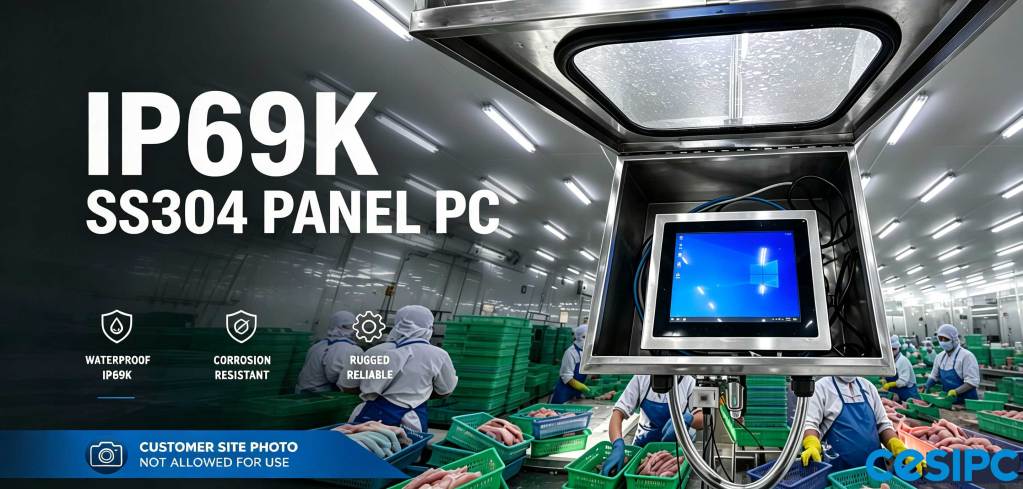
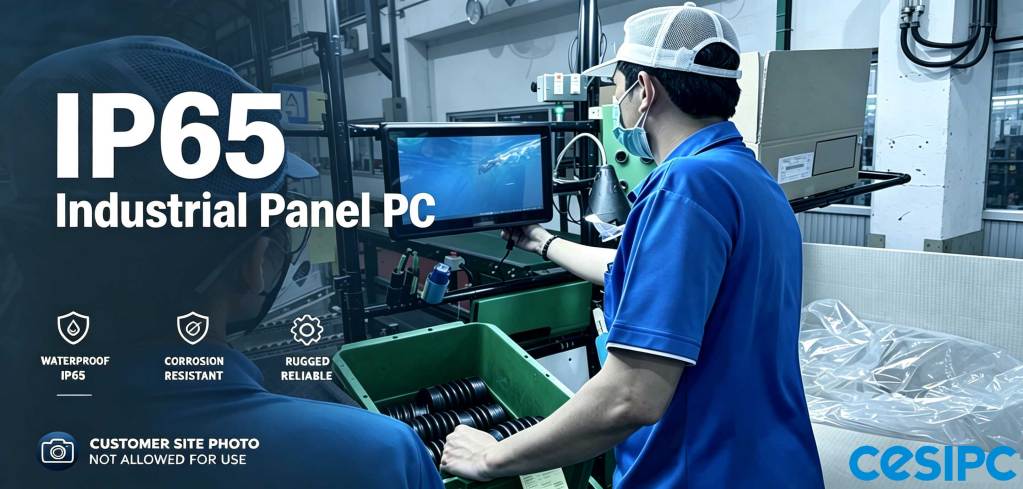
CESIPC’s CleanOps™ series includes G-Grade IP69K stainless panel PCs specifically designed for environments requiring regular sanitization with hot steam or caustic cleaning chemicals.
Q4. What industries use industrial panel PCs?
Industrial panel PCs are deployed across virtually every manufacturing and process industry, including:
- Food & Beverage: Hygienic control in production lines, cold storage, and clean rooms requiring IP69K wash-down resistance.
- Pharmaceutical: GMP-compliant HMI stations for batch control, recipe management, and regulatory documentation.
- CNC & Machine Tool: Real-time monitoring and control of machining centers, requiring vibration resistance and precision reliability.
- Automotive: Line-side control stations in body shop, paint shop, and final assembly operations.
- Logistics & Warehousing: Conveyor management, WMS integration, and sortation system control.
- Energy & Power: Substation HMI panels, wind turbine controllers, and grid monitoring systems.
- Defense & Aerospace: MIL-grade computing for harsh field and airborne environments.
Section 2: Technical Specifications
Q5. What processors are typically used in industrial panel PCs?
Industrial panel PCs are available across a wide performance spectrum depending on application requirements:
- Entry-level (HMI/SCADA): Intel Celeron or Atom processors — sufficient for visualization, data logging, and basic control tasks.
- Mid-range (multi-task control): Intel Core i3 / i5 — suitable for simultaneous HMI, data acquisition, and communication tasks.
- High-performance (AI/vision): Intel Core i7 / i9 or NVIDIA Jetson Orin — used for machine vision, AI inference, and real-time analytics at the edge.
CESIPC’s BlockCore™™ architecture allows the computing module (i-Core Board) to be upgraded independently, extending hardware life and protecting your software investment as processing needs grow.
Q6. What operating systems can industrial panel PCs run?
Industrial panel PCs support multiple OS options depending on application requirements:
- Windows 10/11 IoT Enterprise LTSC: Most common for industrial automation. LTSC (Long-Term Servicing Channel) provides 10-year support without forced feature updates — critical for production stability.
- Windows Embedded Standard: Legacy support for existing WES installations.
- Linux (Ubuntu, Debian, Yocto): Increasingly popular for IIoT edge computing, machine learning, and applications requiring open-source flexibility.
- Android: Used for warehouse terminals and mobile data collection.
Always specify your OS requirement upfront when ordering, as storage configurations and driver packages differ.
Q7. What screen sizes are available, and how do I choose the right one?
Industrial panel PCs are available from 7″ up to 24″ and larger. Selection depends on:
- Viewing distance: Operators standing 0.5–1m away typically need 12″–15″. Control rooms with greater viewing distances need 19″–21″+.
- Information density: Applications displaying dashboards with many parameters benefit from 15.6″ or 21.5″ Full HD screens.
- Panel cutout constraints: Retrofit installations into existing enclosures are constrained by available cutout dimensions.
- Touch usability: Smaller screens (7″–10″) work well for single-parameter adjustments; complex data entry requires larger formats.
CESIPC standard sizes: 7”, 8”, 10″, 12″, 15″, 15.6″, 17″, 18.5″, 19”, 21.5″, 23.8″. Custom aspect ratios and non-standard sizes are available as ODM projects.
Q8. What I/O ports should I look for?
The right I/O configuration depends on what devices and systems you need to connect:
- Serial (RS-232/485/422): Essential for PLC, barcode scanner, and legacy device communication. Look for isolated ports to prevent ground loop damage.
- Ethernet (LAN): Multiple Gigabit Ethernet ports allow simultaneous connection to machine networks and corporate IT networks — keeping them isolated for security.
- USB 3.0 / USB-C: For peripherals, firmware updates, and data transfer.
- Digital I/O (DIO): For direct sensor/actuator wiring without a separate PLC for simple control tasks.
- CAN Bus: Required for automotive and heavy equipment communication.
- HDMI/VGA/DisplayPort: For driving secondary displays or mirroring to operator stations.
CESIPC’s BlockCore™™ i-Function Board and i-Connect Board allow custom I/O expansion — adding the exact ports needed without paying for interfaces you don’t use.
Section 3: Installation & Integration
Q9. What mounting options are available for industrial panel PCs?
Industrial panel PCs support several mounting configurations:
- Panel mount (flush mount): Most common — mounted directly into a cut-out in a control cabinet door. Creates a clean, flat operator interface.
- VESA mount: Standard 75x75mm or 100x100mm pattern for attaching to articulating arms, poles, or stands.
- Rack mount: 19″ rack-compatible units for control room installations.
- DIN rail: Smaller embedded systems can be DIN-rail mounted inside enclosures.
- Desktop / stand-mount: For engineering workstations or operator consoles not integrated into panels.
- Cantilever arm: Stainless steel swing arms for hygienic environments — keeps the PC clear of work surfaces and allows repositioning.
CESIPC supplies 304 stainless steel cantilever arm bases (part of the CleanOps™ ecosystem) matched to IP69K panel PCs for food & beverage installations.
Q10. Can industrial panel PCs be customized?
Yes — customization is one of the key advantages of working with a dedicated industrial PC manufacturer. Common customizations include:
- Logo/branding: Custom silk-screen printing or anodization on the front bezel.
- I/O configuration: Adding or removing specific port types through modular expansion boards.
- Display options: Custom brightness levels (high-brightness for outdoor/sunlight-readable up to 1500 nits), custom screen sizes, or special coatings (anti-glare, anti-reflective, anti-fingerprint).
- Touch technology: PCAP multi-touch vs. resistive single-touch, chemical-resistant glass, glove-operable calibration.
- Processor / RAM / storage: Spec’d to application performance and data retention requirements.
- Special certifications: Pre-certified to ATEX (hazardous areas), MIL-STD (defense), or UL (North American market) standards.
CESIPC’s BlockCore™™ modular platform supports ODM customization with low minimum order quantities — typically 10–50 units for custom bezel or I/O configurations.
Q11. What software is compatible with industrial panel PCs?
Industrial panel PCs are compatible with all standard industrial automation software, including:
- SCADA: Wonderware (AVEVA), Ignition (Inductive Automation), iFIX (GE), Citect.
- HMI: Siemens WinCC, Rockwell FactoryTalk View, Schneider Electric Vijeo Designer.
- MES / ERP integration: SAP ME, Tulip, Epicor, and OPC-UA based middleware.
- Machine vision: Cognex VisionPro, Halcon, OpenCV on Linux.
- AI edge platforms: NVIDIA DeepStream (on Jetson-based units), ONNX Runtime, TensorFlow Lite.
Because industrial panel PCs run standard x86 Windows or Linux operating systems, software installation and licensing follow the same procedures as any commercial PC — no proprietary lock-in.
Section 4: Buying Guide
Q12. What is the difference between an industrial panel PC and an HMI?
This is one of the most common points of confusion:
- HMI (Human-Machine Interface): Traditionally refers to a dedicated, closed device running proprietary firmware — designed exclusively to interface with a specific PLC brand (e.g., Siemens SIMATIC, Allen-Bradley PanelView). Limited to one vendor’s ecosystem, difficult to customize.
- Industrial Panel PC: An open-architecture PC running a standard OS. Can run any HMI software, SCADA, custom applications, web browsers, ERP clients, and more — simultaneously. Fully programmable, software-upgradeable, and vendor-independent.
The industry trend is clear: panel PCs are increasingly replacing proprietary HMIs because they offer more flexibility, longer software support, and lower total cost of ownership.
Q13. How do I choose the right industrial panel PC for my application?
Use this decision framework:
- Environment: Identify IP rating needed (indoor clean / dusty / wet / food-grade / outdoor). This determines the enclosure specification.
- Temperature range: Check both ambient operating range and storage range, especially for outdoor or cold-storage applications.
- Processing requirements: Define what software you’re running and whether it requires GPU acceleration (machine vision, AI).
- Display: Identify mounting constraints, viewing distance, ambient light level (standard vs. high-brightness), and touch mode (gloves? wet hands?).
- Connectivity: List all devices to connect — PLCs, sensors, barcode scanners, cameras, network switches — and map required ports.
- OS & software: Confirm compatibility between your HMI/SCADA software version and the target OS.
- Lifecycle: Check product roadmap. Avoid models approaching end-of-life (EOL) that may create procurement problems in 2–3 years.
- Support: Evaluate manufacturer warranty terms, repair turnaround time, and long-term spare parts availability.
Q14. How much does an industrial panel PC cost?
Pricing varies widely based on configuration:
- Entry-level (10″, Celeron, IP65): $700–$1500 USD
- Mid-range (15″, Core i5, IP65, standard I/O): $1000–$1,200 USD
- High-end (21.5″, Core i7, IP69K stainless, full I/O): $1,500–$3,500 USD
- AI computing (Jetson Orin, high-brightness): $2,000–$5,000+ USD
When evaluating cost, consider total cost of ownership (TCO) — not just unit price. A more expensive unit with fanless design, 5-year warranty, and 10-year parts availability will cost significantly less over its operating life than a cheaper unit that requires frequent maintenance or replacement.
Q15. What certifications should an industrial panel PC have?
Required certifications depend on your target market and application:
- CE: Required for the European Economic Area. Covers electromagnetic compatibility (EMC) and low-voltage safety directives.
- FCC: Required for the United States (Class A or B depending on environment).
- UL: North American market safety standard — often required by machine builders selling to US customers.
- RoHS: Restricts hazardous substances in electronics. Required in the EU and many other markets.
- BIS: Required for the Indian market (Bureau of Indian Standards).
- IP65/IP66/IP69K: Environmental ingress protection — verify third-party tested, not self-declared.
- ATEX / IECEx: Required for operation in explosive atmospheres (oil & gas, chemical processing).
CESIPC products are certified to CCC, CE, RoHS, and BIS standards, supporting deployment across European, South Asian, and Chinese markets.
Section 5: Maintenance & Longevity
Q16. How long do industrial panel PCs last?
A well-specified industrial panel PC from a reputable manufacturer should achieve 7–10 years of continuous 24/7 operation. Key factors affecting longevity:
- Fanless design: Eliminates the #1 failure point in industrial PCs — fan bearings clogged with dust.
- Industrial-grade components: Capacitors, SSDs, and power supplies rated for extended temperature and vibration.
- Thermal management: Proper heatsink sizing and enclosure ventilation prevent thermal stress on the CPU.
- SSD vs. HDD: Solid-state storage with no moving parts is essential for vibration-prone environments.
- Operating environment: Staying within specified temperature, humidity, and vibration ratings directly impacts hardware life.
Q17. What preventive maintenance is required?
Fanless industrial panel PCs require minimal maintenance compared to fan-cooled systems:
- Quarterly: Clean the display surface and touchscreen with a soft, lint-free cloth. Inspect cable connections and grounding.
- Annually: Check sealant integrity around the front panel. Inspect and clean any ventilation slots on the rear (if present). Verify software and firmware are up to date.
- Every 3–5 years: Consider proactive replacement of the real-time clock (RTC) battery in environments with frequent power cycling.
For IP69K stainless units in food processing, the sealed construction means the PC itself withstands routine wash-down procedures — no special precautions needed beyond ensuring cable entry glands are properly sealed.
Q18. What happens when a model reaches End-of-Life (EOL)?
EOL management is a critical differentiator between consumer and industrial-grade suppliers:
- Advance notice: Reputable manufacturers provide 12–24 months of advance EOL notice, allowing time for last-time buys and replacement qualification.
- Spare parts: Committed spare parts availability for 5+ years after EOL enables repair of installed units.
- Migration path: Manufacturers should offer an upward-compatible replacement model with minimal re-qualification effort.
- CESIPC EOL policy: Published EOL schedule at cesipc.com/supports/eol — with replacement recommendations and spare parts commitments.
Section 6: About CESIPC Industrial Panel PCs
Q19. What makes CESIPC industrial panel PCs different?
CESIPC’s differentiating advantage is BlockCore™™ — a patented modular architecture that separates the panel PC into three independently upgradeable subsystems:
- i-Core Board: The computing brain (CPU, RAM, storage) — upgradeable without replacing the entire unit.
- i-Function Board: Application-specific I/O expansion — adding serial ports, DIO, CAN, or other interfaces as needed.
- i-Connect Board: Communication and networking expansion — Wi-Fi, 4G/5G, additional Ethernet, etc.
This modular design protects your investment: when processing requirements increase, upgrade only the computing module — keeping your certified panel mount, display, and wiring in place. CESIPC also operates in-house sheet metal and SMT factories in Shenzhen, enabling quality control from raw material to finished product.
Q20. How do I get a quote or request a sample?
CESIPC welcomes enquiries for standard products and custom ODM projects:
- Website: http://www.cesipc.com — browse the full product range with specifications and downloadable eCatalogs.
- Email: sales@cesipc.com — for application-specific enquiries, custom configurations, and volume pricing.
- Phone: +86-755-8528-6060 (Shenzhen headquarters)
- WhatsApp / WeChat: Available via QR code on the contact page for rapid response.
For new projects, CESIPC recommends beginning with a product specification consultation — providing your environment rating, screen size, OS, and I/O requirements allows the team to recommend the right product family and confirm lead times.
CESIPC — Cloud Embedded Technology Co., Ltd.
8th Floor, Building 1B, Shangzhi Technology Park, Guangming District, Shenzhen, China
http://www.cesipc.com | sales@cesipc.com | +86-755-8528-6060
© 2026 CESIPC. All rights reserved.


