
Pip: Farming robots are out here doing the harvest shift, and apparently the bottleneck is not the weather or the labor market — it is the USB port count on the onboard computer.
Mara: That is exactly the territory CESIPC-Summer covers: what it takes to run a four-camera vision system on a harvesting robot, and why the industrial PC at the center of that system has to be built for it. Let’s start with the cameras themselves and why the hardware behind them matters.
Why Four Cameras, One Industrial PC
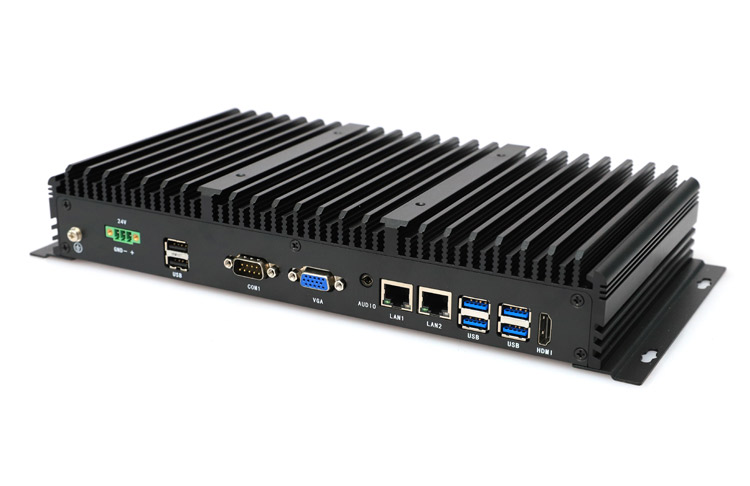
Pip: The core tension here is straightforward: a harvesting robot is not looking at the world through a single lens. It is running navigation, fruit detection, depth measurement, and obstacle avoidance all at once, and every one of those tasks needs its own dedicated camera feed processed in real time.
Mara: The post frames it directly: “behind every successful harvesting robot is a powerful vision system, and behind that vision system is a reliable industrial computer capable of handling multiple cameras simultaneously.” That is the load the hardware has to carry.
Pip: And the upshot is that if the computer cannot keep up, the robot arm misses the strawberry, or worse, the system drops a camera feed mid-harvest. The reliability problem is not theoretical — it is a per-pick failure rate.
Mara: The post walks through exactly how those four cameras divide the work. A front camera handles navigation and route planning. A dedicated fruit detection camera reads color, shape, and size to identify ripe produce. A depth camera calculates the distance between the robotic arm and the target. A side camera watches for branches, leaves, and structural obstacles. Each stream is continuous, and each has to be processed without delay.
Pip: So four cameras, plus a GPS module, an AI accelerator, storage, and sensor gateways — and suddenly a conventional industrial PC with two to four USB ports is already out of runway before the robot leaves the shed.
Mara: That is the specific failure mode the post identifies. Developers who run out of native ports reach for external USB hubs, and hubs introduce bandwidth limitations, camera disconnections, and data packet loss. In a remote field during harvest season, those are not minor inconveniences.
Pip: A hub is basically a shared hallway for data. Works fine until everyone tries to leave at once.
Mara: The alternative the post describes is native ports — each camera on its own dedicated channel. The stated benefits are consistent image streams over long operating periods, lower latency for real-time object detection, a simpler system architecture, and fewer components overall. Fewer components means fewer points of failure in an environment that can be dusty, humid, or running at high temperature around the clock.
Mara: The fanless design point connects directly to that environment. Cooling fans draw dust and pollen into the enclosure; passive cooling eliminates that path to hardware failure entirely.
Pip: The post also looks ahead — as vision systems add more cameras and more sensors, the industrial PC becomes the central hub connecting all of it. Choosing for four cameras today is really choosing a connectivity architecture that scales.
Mara: Right, and that framing shifts the decision from “do we have enough ports” to “is the foundation reliable enough for long-term field deployment.”
Pip: So the argument lands somewhere practical: agricultural automation is only as good as the hardware that keeps all those feeds stable and synchronized.
Mara: And as robots take on more sensing tasks, that connectivity foundation only becomes more load-bearing. More on that next time.
Talk to a CESIPC Engineer
Our application engineers are ready to help you select the right configuration, discuss ODM requirements, or provide a tailored quotation for your project.
Typical response within 24 hours · Multilingual support · CE / FCC / BIS compliant


We use your details only to answer this enquiry — no newsletters, no sharing. Drawings or a photo of the existing panel can be sent to sales@cesipc.com.