



Pip: Industrial PCs are built to run factories, automate assembly lines, and outlast everything around them — so when one refuses to boot, the timing is never convenient.
Mara: Today we’re covering a startup error that stops systems cold, what’s behind it, and how to work through it systematically. CESIPC-Summer put this together, and it’s a practical deep-dive worth walking through.
Pip: Let’s start with what that error message actually means and why it shows up.
“Reboot and Select Proper Boot Device” — What’s Really Happening
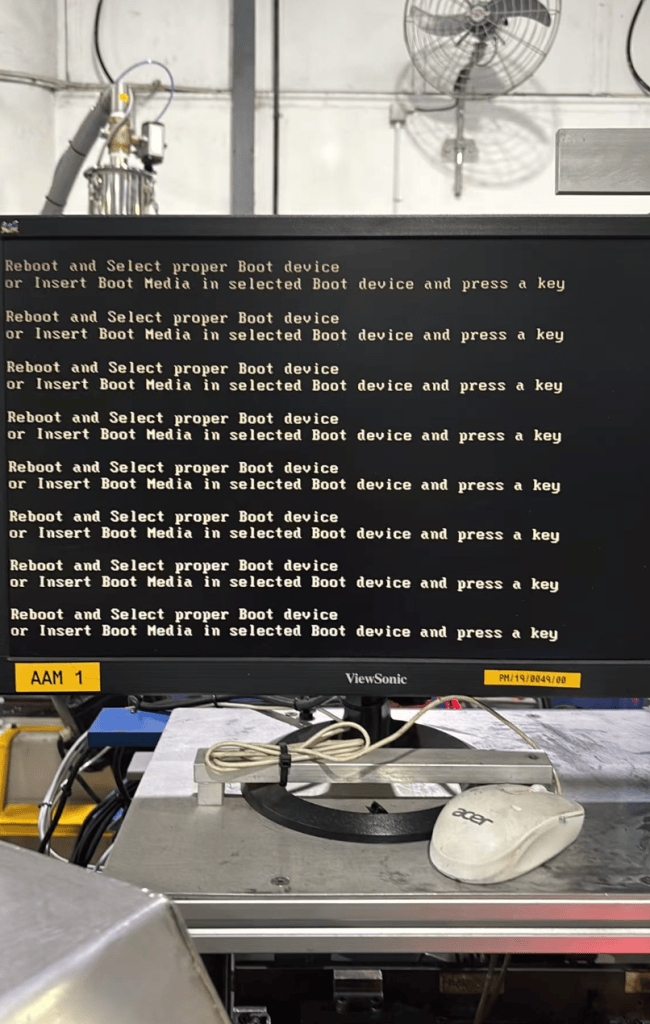
Mara: The core question here is: what does this error actually tell you, and where in the startup sequence does it appear?
Pip: The post sets the record straight right at the top — this isn’t a Windows crash. The post puts it plainly: “this message appears before Windows even starts loading. It indicates that the system BIOS cannot find a bootable storage device, so the Industrial PC has no operating system to start.”
Mara: Which means the problem lives in the handoff between BIOS and storage — not in the operating system itself. That distinction matters because it changes where you look first.
Pip: So the SSD either isn’t detected, isn’t first in the boot order, or its boot files are damaged. Three very different problems, one identical error message. Helpful.
Mara: The post walks through five root causes in order of likelihood. The most common is the SSD simply not being detected — loose connection, failed drive, unseated M.2 module. After that comes an incorrect boot order, corrupted boot loader files, a BIOS configuration change after a CMOS battery failure, and finally outright SSD failure.
Pip: And for systems that ran fine for months before showing this error, the post ranks SSD failure as the top suspect by a wide margin — ahead of vibration-loosened connections and sudden power interruption.
Mara: The troubleshooting path follows five steps: enter BIOS and check whether the SSD appears, reseat it if it doesn’t, test it in another machine, verify boot order and boot mode match, and repair the boot loader if the drive is visible but Windows still won’t start.
Pip: Step three is the one that actually saves time — swapping the SSD into another machine tells you immediately whether the drive is dead or the motherboard interface is the problem.
Mara: On prevention, the post recommends industrial-grade SSDs, secure mounting in vibration-prone environments, stable power or a UPS, and periodic SMART health monitoring. The framing is direct: storage maintenance belongs alongside CPU and memory maintenance in any preventive schedule.
Pip: Treat the SSD like the component it is, not like a permanent fixture you install once and forget.
Mara: The post closes by noting that a systematic check of the SSD, BIOS settings, and boot configuration will identify the problem quickly and minimize equipment downtime — which is the whole point in an industrial setting.
Pip: Boot failures in industrial environments aren’t just inconvenient — they’re downtime, and downtime has a cost.
Mara: A structured diagnostic approach gets you from error message to root cause without guesswork. Next time, we’ll see what else comes through from the site.
Talk to a CESIPC Engineer
Our application engineers are ready to help you select the right configuration, discuss ODM requirements, or provide a tailored quotation for your project.
Typical response within 24 hours · Multilingual support · CE / FCC / BIS compliant


