
Pip: Industrial computers are supposed to be the tough ones — built for factories, running around the clock, surviving heat and vibration and electrical chaos. So when the screen just goes black, that’s a particular kind of embarrassing.
Mara: Today we’re looking at posts from CESIPC-Summer covering exactly that scenario — what causes an industrial panel PC to power on but show nothing, and how engineers can stop it from happening in the first place.
Pip: Let’s start with the black screen itself.
Industrial Computer No Display: 10 Causes Worth Knowing
Mara: The question this post is really asking is: why does a machine that appears to be running just fine produce a completely dark screen — and where do engineers even begin looking?
Pip: The post frames it clearly. The system looks alive — power LED on, Ethernet indicators active, cooling running — but the display is blank. So the failure could be almost anywhere upstream of the panel itself.
Mara: Right, and here is the direct framing from the post: “Unlike consumer PCs, industrial panel PCs often operate 24/7 in environments exposed to vibration, electrical noise, dust, heat, and unstable power conditions. Understanding the root causes of display failures can help engineers reduce maintenance costs and improve system reliability.”
Pip: So the operating environment is doing real damage over time, and a black screen is often the first visible symptom of something that has been degrading for a while.
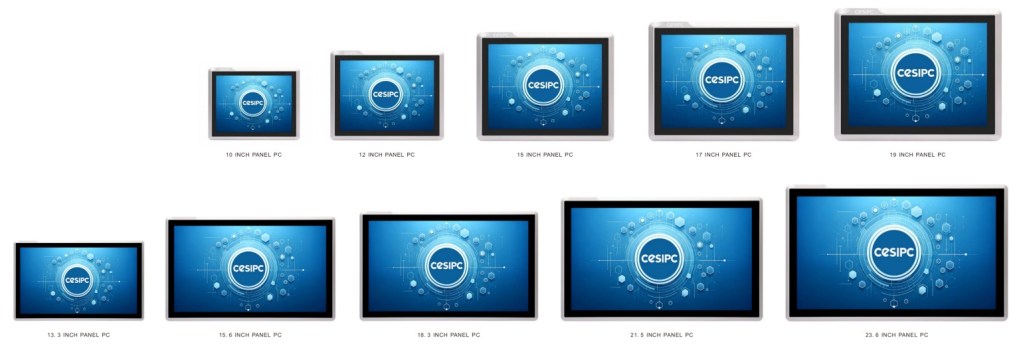
Mara: The post walks through ten distinct causes. Loose memory modules are first — continuous vibration and thermal cycling can unseat RAM just enough to prevent the system from completing POST, which halts everything before the display ever initializes.
Pip: That one is easy to miss because the system still looks like it powered on. No beep codes, no error message — just nothing on screen.
Mara: Backlight failure is another entry. The post notes that a faint image may still be visible under strong light, and remote desktop access can still work — meaning the computer is running, the display connection is intact, but the backlight driver or LED circuit has simply failed.
Pip: Which is a genuinely useful diagnostic clue. Shine a flashlight at the screen before you pull the whole unit.
Mara: Power quality gets its own entry too. The post gives a concrete example: a 24V system dropping to 18V during startup may power the motherboard while preventing the display subsystem from initializing at all.
Pip: So the motherboard boots, the display never gets enough voltage to start, and from the outside it looks identical to a dead panel. That is a frustrating one to chase.
Mara: EMI interference, BIOS misconfiguration, CMOS battery failure, internal cable wear — the list keeps going. The post flags that a BIOS update can silently switch the primary output to an external HDMI port, leaving the built-in LCD blank while the system boots normally.
Pip: Industrial computers quietly running a ghost BIOS setting for months. Completely preventable, genuinely annoying.
Mara: The tenth cause is perhaps the most structural: systems marketed as industrial that are actually commercial PCs in an enclosure. The post is direct — these often lack wide-voltage protection, EMI resistance, industrial-grade storage, and long-term BIOS support, so black screen failures accumulate over time.
Pip: The post’s prevention checklist reflects that. Wide voltage input, fanless thermal design, EMI-resistant architecture, industrial-grade SSD and memory, secure internal connectors — the point being that these aren’t optional extras, they’re what separates a system that lasts from one that doesn’t.
Mara: And the closing argument from the post is worth stating plainly: investing in reliable hardware is usually far less expensive than dealing with an unexpected shutdown when a display goes dark mid-production.
Pip: Reliability as a cost-reduction strategy, not just a spec-sheet talking point. That framing holds up.
Mara: The through-line here is that display failures in industrial settings are almost never just a screen problem — they’re a system reliability problem that surfaces at the panel.
Pip: Next time, we will see what else the factory floor has to teach us about building things that actually stay running.
Talk to a CESIPC Engineer
Our application engineers are ready to help you select the right configuration, discuss ODM requirements, or provide a tailored quotation for your project.
Typical response within 24 hours · Multilingual support · CE / FCC / BIS compliant


We use your details only to answer this enquiry — no newsletters, no sharing. Drawings or a photo of the existing panel can be sent to sales@cesipc.com.