
Last updated: November 11, 2026 · Checked against the published UTC-S1572O-RFID specification

Quick answer: An industrial panel PC with an RFID reader carries the card reader inside the front bezel instead of on a cable. Specify it by answering five questions: built-in or bolt-on reader, HF or UHF, IC or ID card, cutout compatibility, and whether gloves force physical keys. The reader only identifies; the HMI or MES decides what the identified operator may do.
An RFID reader on a production workstation is a small line on the bill of materials and a large part of the integration risk. The failures that reach the line are rarely about radio physics. They are a reader that needs its own cable run, a card type the software was never told about, a panel that does not fit the cutout already in the cabinet, or an operator who cannot reach the glass with a glove on. Choosing one is mostly a job of closing those five gaps before the order, not after.
This guide is written for the point where an industrial panel PC with an RFID reader has to be turned into a purchase order — not for the point where RFID is still an unfamiliar acronym. The five questions below are the ones that change what you order.
1. Is the reader built into the panel, or bolted on beside it?
Build it in. A separate reader adds a USB or serial cable, a power tap, a mounting bracket and one more ingress point on the cabinet, and every one of those is a failure mode on a line that runs 24/7. A built-in reader sits behind the same front panel as the display, so it is sealed, cleaned and serviced as one assembly.
| Consideration | Built-in reader | External reader on a cable |
|---|---|---|
| Cable runs inside the cabinet | None | USB or serial, plus power |
| Extra ingress point through the enclosure | None | Yes, one per reader |
| Sealing and cleaning | Same front panel as the display | Separate surface to protect |
| Can be unplugged by an operator | Not possible | A common cause of “reader not working” |
| Best fit | Fixed workstations, kiosks, machine fronts | Temporary or moving read points |
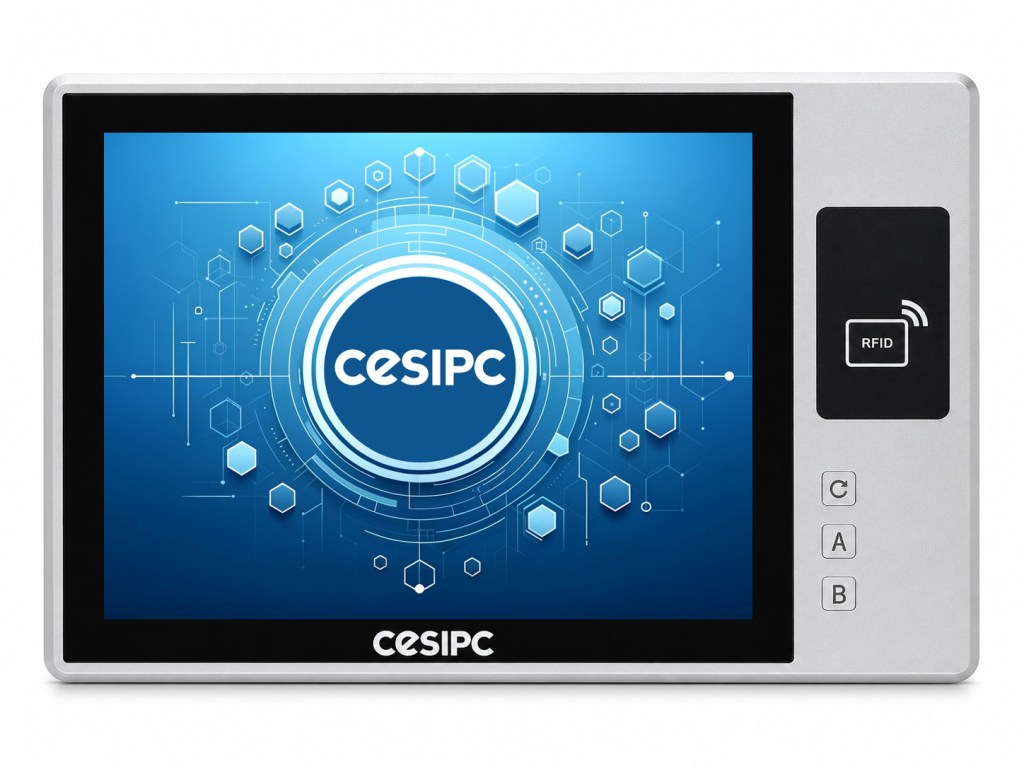
The CESIPC UTC-S1572O-RFID carries the reader, a 15-inch display and three programmable front keys behind a single IP65 front face, so the cutout, the front seal and the reader are one part number. The wider RFID panel PC range covers 10, 15 and 21.5-inch terminals on the same reader platform.
2. 13.56 MHz HF, or UHF?
Choose by what you are identifying, not by read range. HF at 13.56 MHz identifies one badge, tool or carrier at close range, which is exactly the shape of a workstation login. UHF at 860–960 MHz identifies many tagged items across a zone, which is the shape of pallet, tote or garment tracking.
| HF — 13.56 MHz | UHF — 860–960 MHz | |
|---|---|---|
| Typical range | Centimetres — a deliberate tap | Metres, across an open zone |
| Tags read at once | One, by design | Many, in a burst |
| Typical job | Operator login, tool or carrier ID, access control | Pallets, totes, inventory, logistics |
| Behaviour at a workstation | “Present the badge here” | May read the next bay as well |
| Environment sensitivity | Tolerant of water and body proximity | Detuned by metal and water |
A login prompt wants one confirmed identity at one panel. Reading every tag within two metres of the screen is not a stricter check; it is a different, and usually unwanted, process. If a site needs both, keep them as two systems rather than compromising one reader.
3. IC card or ID card — and does the software know?
IC and ID cards are not interchangeable. An IC card at 13.56 MHz carries memory and can run a challenge-response exchange, so the card can be authenticated rather than merely recognised. A 125 kHz ID card normally returns a fixed serial number, which identifies the card but does not prove it is genuine.
| IC card | ID card | |
|---|---|---|
| Working frequency | 13.56 MHz | 125 kHz |
| Data on the card | Memory sectors, readable and writable | Fixed serial number |
| Can be authenticated | Yes — challenge-response, encrypted sectors | No — identifier only |
| Copying risk | Low when authentication is enabled | High if only the serial is used |
| Choose it when | The card proves identity, not just presence | The card only selects a preset |
The UTC-S1572O-RFID is published as IC card standard, ID card optional, at a working frequency of 13.56 MHz. Because the two card technologies do not share a frequency, the module fitted for the ID option should be confirmed in writing with the order rather than assumed from the datasheet headline.
4. Will it fit the cutout you already have?
Measure first — the panel size does not give you the cutout. Retrofits fail on millimetres: an existing cabinet hole, an existing support arm, an existing drip lip. Ask for the cutout drawing before choosing between two otherwise identical terminals.
| UTC-S1572O-RFID | Published value |
|---|---|
| Cutout | 417.9 × 266.8 mm |
| Overall body | 436.0 × 282.0 × 69.2 mm |
| Weight | 5.0 kg net |
| Panel | 15-inch TFT LED, 4:3, 1024 × 768, 300 cd/m², 500:1 contrast |
| Mounting | Wall mount or VESA mount |
| Housing | 6063 high-strength aluminium alloy |
| Front protection | IP65 front face — see IP65 vs IP67 vs IP69K |

If the cutout is fixed and cannot be re-machined, the RFID integrated panel PC range also covers 10-inch and 21.5-inch terminals, which changes the hole rather than the enclosure design.
5. Do operators wear gloves?
If they do, the touchscreen should not carry the routine action. Thick, wet or double gloves frequently fail to register on a capacitive panel, so the operator ends up peeling a glove off for a button press — which is where the time and the errors are.
The UTC-S1572O-RFID separates the two jobs. The card reader handles identification by tap, and three programmable front keys handle the repeated actions; they ship mapped to F5, division and multiplication as number-keypad keys and are reassigned through the connected application. The result is one gesture per action: badge in, key out, glass untouched.
Where the routine action has to stay on the display — a recipe list, an alarm queue — confirm the glove type on the actual panel before the line is released. A sample test with the operators’ own gloves settles it in minutes and cannot be inferred from the specification.
Where card reading stops and authentication starts
Reading a card returns an identifier. It does not prove who is holding it. A simple card serial can be copied onto a blank tag with commodity hardware, so a system that trusts a serial number is enforcing convenience, not security.
Three things move it from convenience to control, and the panel owns only the first: the reader delivers the identifier reliably; the card itself supports authentication so the identifier cannot be replayed from a copy; and the backend decides permissions at the moment of the request instead of trusting whatever the terminal reports. Applications that skip the second and third are the ones that fail an audit.
The five answers as a specification checklist
| Question | If your answer is… | Specify |
|---|---|---|
| 1. Reader mounting | Fixed workstation | Built-in reader, one front-panel assembly |
| 2. Frequency | One person or tool, close range | HF 13.56 MHz |
| Many tagged items across a zone | UHF 860–960 MHz, as a separate system | |
| 3. Card type | Identity must be provable | IC card with authentication enabled |
| The card only selects a preset | ID card may be acceptable | |
| 4. Cutout | The existing hole cannot change | Match the published cutout drawing first |
| 5. Gloves | Thick or wet gloves on the line | Programmable physical front keys |
| Throughout | Anything beyond convenience | Card authentication plus backend authorisation |
What CESIPC publishes — and what to confirm in writing
The figures in this article come from the published UTC-S1572O-RFID specification. Where a value is not published for the model it is marked as not published rather than estimated, and should be confirmed in writing before the specification is released.
| Item | Status for UTC-S1572O-RFID |
|---|---|
| Reader frequency | Published — 13.56 MHz |
| Card types | Published — IC standard, ID optional |
| Reading distance | Published — 0–60 mm |
| Reader interface | Published — USB, 3.3–5 V (5 V standard) |
| Operating temperature | Published — 0–50 °C (−40–70 °C optional) |
| System MTBF | Published — 60,000 hours |
| Front protection | Published — IP65 front face |
| Air-interface protocol of the reader module | Not published — confirm against your credential scheme |
| Cards readable simultaneously | Not published — confirm with CESIPC |
| Reader module MTBF, separate from the system figure | Not published — confirm with CESIPC |
| Rear-face ingress rating | Not published — IP65 is stated for the front face |
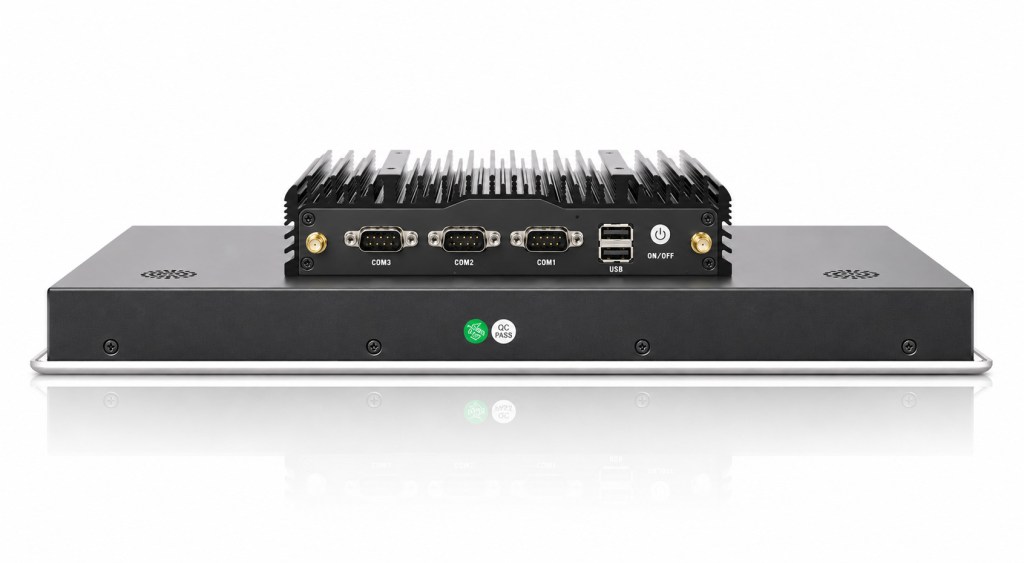
Compute platform and I/O for the same terminal are covered in What processors are commonly used in industrial PCs.
Industrial Panel PC with RFID Reader FAQ
What is an industrial panel PC with an RFID reader?
It is a panel computer that has the card reader built into the same enclosure, so there is no second box to mount, power or seal. It identifies an operator, a tool, or a workpiece locally, normally at a workstation, and passes that identifier to the HMI, MES, or access-control software running on it.
Is a built-in RFID reader better than a USB reader?
For a fixed workstation, usually yes. A built-in reader removes the external cable, the bracket, and one extra ingress point on the cabinet, and it is cleaned and sealed as part of the front panel. External readers remain useful for temporary or moving read points.
Should I choose 13.56 MHz HF or UHF RFID?
Choose HF at 13.56 MHz to identify one badge or tool at close range, which is what a workstation login is. Choose UHF at 860–960 MHz to read many tagged items across a zone, such as pallets or totes. The task decides, not the read range.
What is the difference between an IC card and an ID card?
An IC card at 13.56 MHz holds memory and can run a challenge-response exchange, so its number can be authenticated. An ID card at 125 kHz normally returns a fixed serial number, which identifies but does not authenticate. The two are not interchangeable and need different reader modules.
How close does an operator have to hold the card?
On the CESIPC UTC-S1572O-RFID the published reading distance is 0–60 mm, so the card is tapped rather than aimed. Short range is a feature at a login point: it stops one badge from identifying a second workstation standing nearby.
Can an RFID panel PC log an operator into an MES?
Yes, when the software supports card login. The reader returns a card identifier over USB, and the HMI or MES maps that identifier to a user account and its permissions. The panel identifies; the software decides which screens and operations the operator may open.
Does an RFID reader help when operators wear gloves?
It helps, because tapping a badge does not require touching glass. Thick or wet gloves often do not register reliably on a capacitive touchscreen, so CESIPC also fits three programmable front keys for the frequent actions such as start, stop, and confirm.
Is reading a card ID the same as authenticating the operator?
No. A card identifier proves that a card was present, not who is holding it, and simple identifiers can be copied. For anything beyond convenience, pair card authentication with encryption and backend authorisation, or add a second factor such as a PIN.
What cutout does a 15-inch RFID panel PC need?
The CESIPC UTC-S1572O-RFID uses a 417.9 × 266.8 mm cutout, with a 436.0 × 282.0 × 69.2 mm body at 5.0 kg. Two 15-inch terminals can still need different cutouts, so check the drawing rather than the panel size.
Which card protocols does the CESIPC reader support?
CESIPC publishes IC cards as standard and ID cards as an option at a 13.56 MHz working frequency, but the exact air-interface protocol is not published on the product page. Ask CESIPC to confirm it in writing against the credential scheme your software already uses.
Request a quote for the UTC-S1572O-RFID
If you are specifying an industrial panel PC with an RFID reader, send the cutout drawing, the card type you already issue and a description of the operator workflow. CESIPC will confirm the reader configuration in writing before you release the specification.
Open the UTC-S1572O-RFID product page
We use your details only to answer this enquiry — no newsletters, no sharing. Drawings or a photo of the existing panel can be sent to sales@cesipc.com.