



In Today‘s industrial environments, a 15inch panel pc such as the UTC-S1592A is widely used for production control, equipment monitoring, and data acquisition. Many users report that after 4–5 years of operation, the touch screen occasionally stops working — it cannot be recognized, and only after multiple plug-ins does it return to normal.
This issue is not uncommon for industrial computers that operate continuously over long periods. Today, we will analyze the possible reasons and provide recommended solutions.
Common Symptoms
- Touch screen becomes unresponsive, no reaction to input
- System fails to recognize the touch device (e.g., HID not detected)
- Touch function only returns after unplugging and reconnecting the cable several times
- Issue occurs intermittently, not on every use
These problems often raise concerns such as: “Is the touch screen broken? Do I need to replace the entire PC?”
Possible Causes
1. Hardware Aging
The UTC-S1592A is designed for heavy-duty industrial use. After years of service, the touch module may experience wear or degradation:
- Resistive screen: touch film wears out, reducing sensitivity
- Capacitive screen: sensing circuits degrade over time
2. Loose or Oxidized Connections
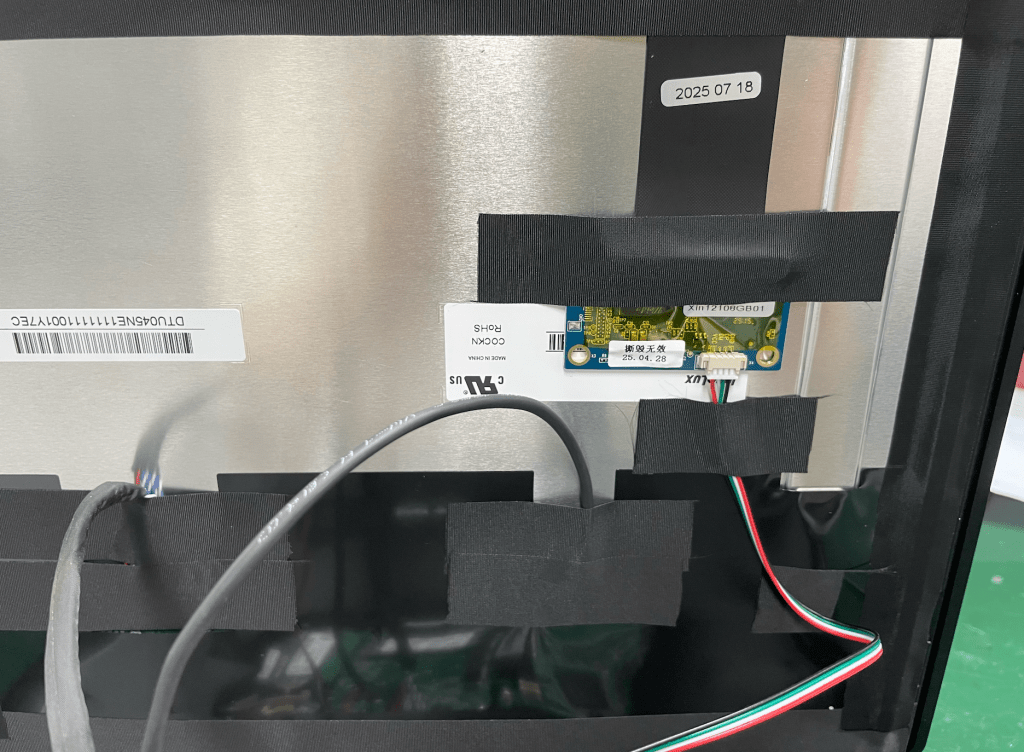
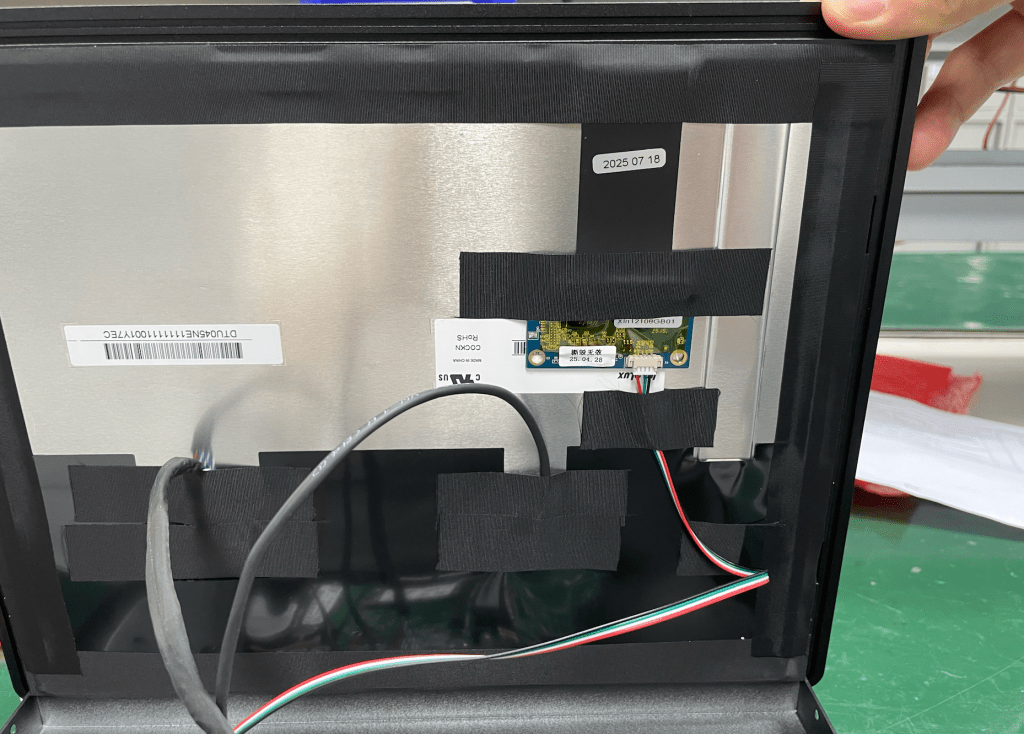
The touch module is connected to the mainboard via USB or FPC cables. In industrial environments with dust, moisture, and vibration, these connectors may loosen or oxidize. Re-plugging restores contact temporarily.
3. Driver or System Issues
Touch drivers can fail after long operation. Disconnecting and reconnecting forces the operating system to re-enumerate the device, which explains why the function returns temporarily.
4. Power Supply & Environmental Factors
- Unstable voltage or insufficient power may cause the touch module to malfunction
- High temperature, humidity, or static interference can reduce touch reliability
5. The Touch board has been damaged
Underneath the screen of every industrial panel pc, there is a small touch module. If this touch board becomes unstable or damaged, it also cause the system to fail to recognize touch input.
Recommended Solutions
- Check the Connection
- Ensure the touch cable is firmly seated
- Replace any loose or oxidized connectors
- Update Drivers or System
- Verify the latest touch driver is installed
- Reinstall or update the driver if errors persist
- Improve the Operating Environment
- Maintain proper ventilation to prevent overheating
- Minimize dust and moisture exposure
- Replace the Touch Module
- If none of the above works, replacing the touch screen module is advised
- Based on CESIPC BlockCore™, The UTC-S1592A supports modular maintenance, so you don’t need to replace the entire system
Should You Replace the Whole PC?
A 15inch panel pc like the UTC-S1592A typically has a lifespan of 10 years. The touch module is considered a consumable component and often fails earlier than the core hardware (CPU, motherboard, memory).
If only the touch function is affected, you can replace just the touch module rather than the entire device — significantly reducing downtime and cost.
Conclusion
When a UTC-S1592A 15inch panel pc shows touch screen issues after several years, it does not necessarily mean the device has reached its end of life. In most cases, the problem is due to connector issues or touch module wear. By checking connections, updating drivers, or replacing the touch module, the system can continue to operate reliably.
For industrial environments, we recommend regular maintenance and inspection to extend the lifespan of the panel PC and minimize unexpected downtime.
Contact CESIPC Team


